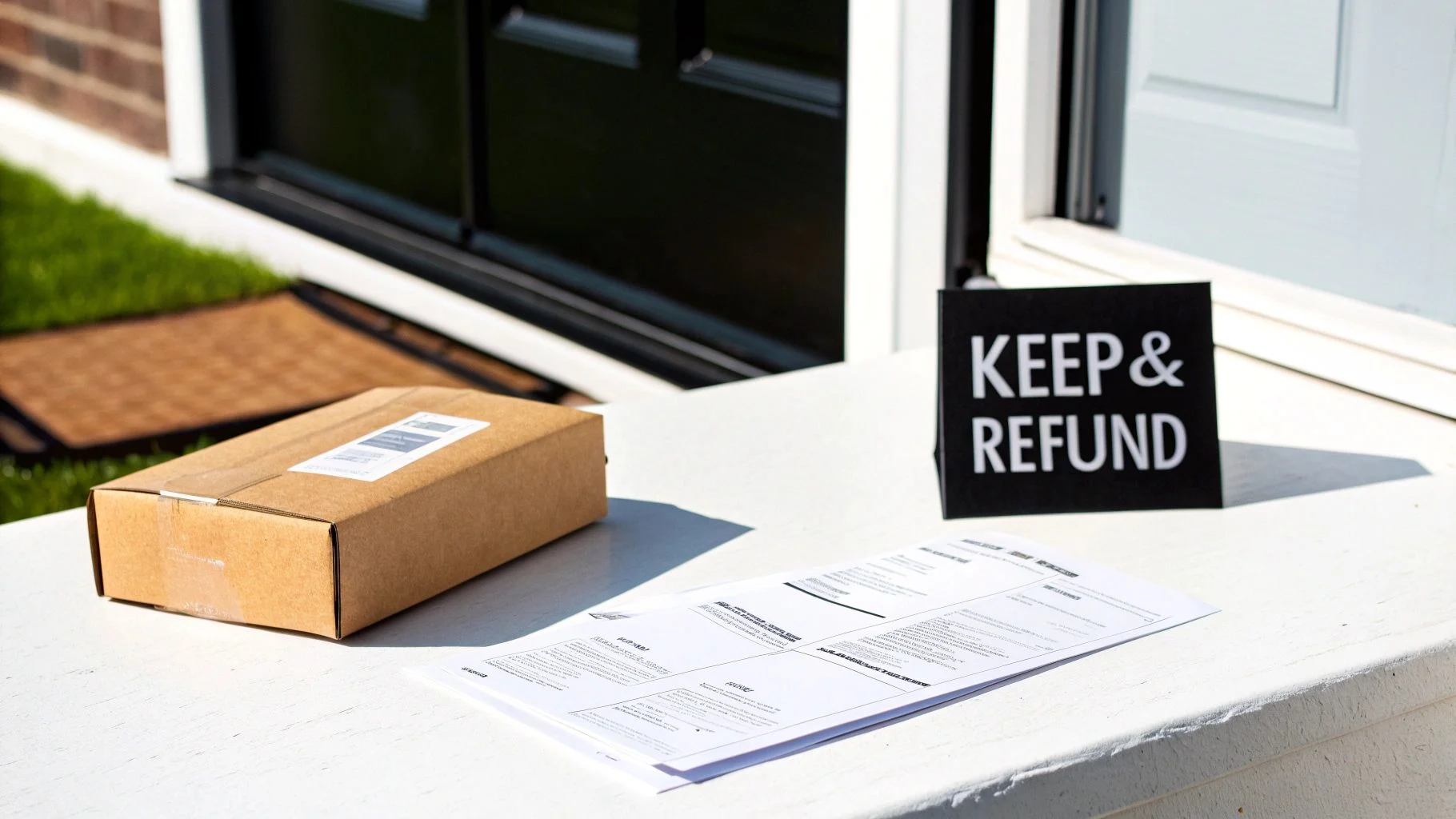
A returnless refund means the customer keeps your product and gets their money back. That’s it; that’s the whole policy. Your gut says this is a terrible deal, and sometimes it is. On a $90 item, requiring the return is obvious. On a $12 item, chasing it back costs more than the item.
So the Amazon returnless refund isn’t good or bad. It’s a lever with a correct setting per product. This guide walks through the mechanics of Amazon returnless refund for FBA and FBM, which items qualify, and the simple calculation that tells you which SKUs belong in the program.
What Is an Amazon Returnless Refund?
Credit: mds.co
A returnless refund means the buyer gets refunded without shipping the item back.
That’s the whole concept. Amazon calls it a “returnless resolution” inside Seller Central.
The customer keeps the product, you eat the cost of goods, and nobody pays for return shipping.
Here’s a quick example. A customer buys a $12 kitchen gadget and doesn’t like it. Return shipping would cost around $7. Add inspection and handling fees, and you’re near $10 to recover a $12 item you may not be able to resell.
Refunding without the return is the cheaper option.
Where the money lands depends on the buyer’s setup; most refunds go back to the original payment method. Some arrive as a returnless refund to your Amazon account balance or as gift card credit.
How Does Amazon Returnless Refund Work?
Credit: smartwarehousing.com
This is where most sellers get confused. The refund process is not the same for FBA and FBM.
Knowing the difference matters because one of them takes the decision out of your hands.
For FBA Sellers
Amazon runs this one through the FBA Returnless Resolutions program.
When a buyer requests a return, Amazon checks the item against its own criteria. Price, category, condition, and return reason all factor in.
If it qualifies, Amazon refunds the buyer directly, usually within one to two days.
You don’t approve each case; Amazon does. The amount is deducted from your Amazon account.
You can enable or disable the program for all ASINs or selected ones.
For FBM Sellers
FBM works completely differently. You’re in control here.
When a return request comes in, Amazon notifies you. You choose whether to require the item back.
If you approve a returnless refund, you issue it yourself through Seller Central. No label gets generated.
The upside is control, but the downside is workload. Every case needs a decision.
Why Does Amazon Do Returnless Refunds?
There are three main reasons Amazon uses returnless refunds.
- Customer experience comes first. Removing return steps makes refunds faster.
- Logistics cost is reduced. Processing cheap returns costs money.
- Sustainability improves. Fewer shipments mean less packaging and emissions.
Seller savings are a benefit, but they are not the only reason behind the policy.
Which Amazon Returnless Refund Items Qualify?
Credit: savemycent.com
Not every product qualifies. Amazon decides based on several factors.
Commonly Eligible Items
- Low-cost items, usually under $15 to $20
- Bulky or heavy goods
- Fragile products like glassware and ceramics
- Perishables and consumables
- Hygiene and personal care products
- Personalized products
- Damaged or defective items
Usually Not Eligible
- High-value electronics
- Fine jewelry and watches
- Digital goods
- Medical devices
- Hazardous materials
- Handmade artisan products
Benefits of Amazon Returnless Refund for Sellers
- You skip return shipping entirely. This is the biggest saving for low-cost products.
- You avoid handling fees. No inspection, repackaging, or restocking.
- Disputes resolve faster. Customers get quicker solutions.
- Your team saves time. Less return tracking and processing work.
- Fewer shipments reduce waste. This can support sustainability efforts.
Potential Downsides of Amazon Returnless Refunds
- Buyer abuse can happen. Some customers may misuse the system.
- You lose the inventory. The product never comes back.
- You lose product feedback. You cannot inspect returned items.
- Margins can slowly decrease. Small refunds add up over time.
- High refund activity can create concerns. Monitor your account health.
When Should Sellers Use Amazon Returnless Refund?
Credit: savemycent.com
The right approach is simple. Stop guessing and calculate.
Calculate your true return cost:
- Return shipping
- Inspection labor
- Repackaging
- Storage
- Expected resale loss
If your return cost is higher than your cost of goods, a returnless refund makes sense.
If your return cost is lower, require the return.
How to Set Up Amazon Returnless Refunds
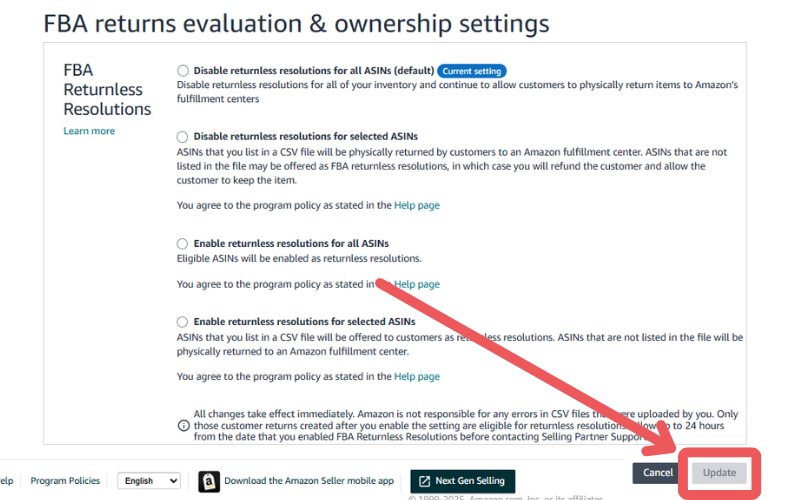
Credit: myamazonguy.com
There are two ways to set up returnless refunds.
Method 1: Account-Level Rules
- Go to Settings > Return Settings in Seller Central.
- Open the Resolutions tab.
- Create a returnless resolution rule.
- Set conditions like price range and category.
- Save your settings.
Method 2: SKU-Level Template
- Go to Return Settings.
- Open Returnless Resolution Template.
- Add SKUs you want to include or exclude.
- Upload the completed template.
Amazon Returnless Refund vs Traditional Returns
| Feature | Traditional Return | Returnless Refund |
|---|---|---|
| Item comes back | Yes | No |
| Return shipping cost | You pay | None |
| Refund speed | After inspection | 1 to 2 days |
| Resale possible | Sometimes | Never |
| Best for | Higher-value items | Low-cost products |
Tips to Manage Returnless Refunds Without Losing Money
- Set a clear price ceiling.
- Review refund data monthly.
- Track repeated refund requests.
- Understand the SAFE-T claim process.
- Improve listings to reduce unnecessary returns.
- Include refund costs in your monthly planning.
- Review rules before high-return seasons.
Ending Remarks
A returnless refund isn’t generosity. It’s arithmetic.
When the cost of getting a product back is higher than the product value, letting the customer keep it is the smarter decision.
The sellers who lose money are usually the ones who treat returnless refunds as a philosophy instead of a calculation.
Pick your cheapest SKUs, test the results, and expand what works. Need full Amazon management service? Contact us now!
Frequently Asked Questions
Short answers to the things people search for after reading a guide like this.
What does returnless refund mean on Amazon?
It means Amazon issues a refund without requiring the customer to send the item back. The customer keeps the product.
How do I get a returnless refund on Amazon?
You cannot request one directly. Start a normal return process. If the item qualifies, Amazon may provide a returnless option.
Is there an Amazon returnless refund limit?
Amazon does not publish a fixed limit. However, excessive refunds can affect seller performance.
Can I turn returnless refunds off?
Yes. Sellers can disable returnless refund settings through Seller Central.
What if a buyer abuses the policy?
Track suspicious patterns and report abuse to Amazon. FBA sellers may also use the SAFE-T claim process when applicable.