Here’s what a skipped audit actually costs.
You spend a month rewriting copy on a listing that isn’t indexed. Nobody was reading the copy. The problem was three fields back. Or you double the ad budget on a page converting at half the category rate. Now you’re paying twice as much to watch people leave. Both mistakes feel productive, but neither one is. An Amazon listing audit is the step that stops this. It’s a diagnosis, not a rewrite; a structured way to find where shoppers drop off before you touch a single field.
Your listing has three jobs: getting found, clicked, and bought. Each one fails differently and needs a different fix.
Let’s find out which one is failing on yours.
What an Amazon Listing Audit Really Is

Credit: marissaputtagio.com
An Amazon listing audit is a structured review of your product page and its performance data. The goal is a short list of high-impact fixes, not a hundred small edits.
Think of it as data analysis with a purpose. Every seller has the numbers already, and most just never sit down and read them.
A good audit looks through two lenses at once.
- Relevance. Does Amazon understand what you sell? Are you showing up for the searches that matter? This is the Amazon SEO half of the job.
- Conversion. Once someone lands on the page, does anything close the sale?
These two feed each other. Amazon promotes listings that sell. So a page can be perfectly keyworded and still slide, because it doesn’t convert. And a beautiful page nobody finds earns nothing.
One more thing worth saying out loud. An audit is diagnostic. Amazon product listing optimization is the fixing. People use the words interchangeably, and that’s exactly why they skip the diagnosis and go straight to editing.
Before You Audit Anything, Find Where Sales Are Leaking
Pull your business reports and your PPC campaign data. Then walk the funnel from top to bottom.
This traffic analysis takes ten minutes and saves you weeks. You’re looking for the first place the numbers fall off a cliff. That’s your bottleneck. Everything else can wait.
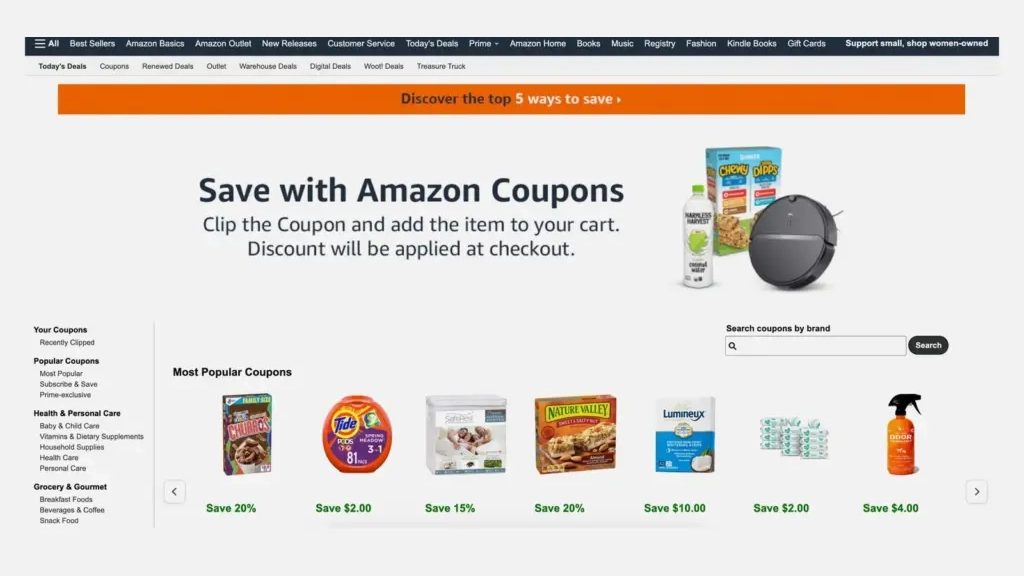
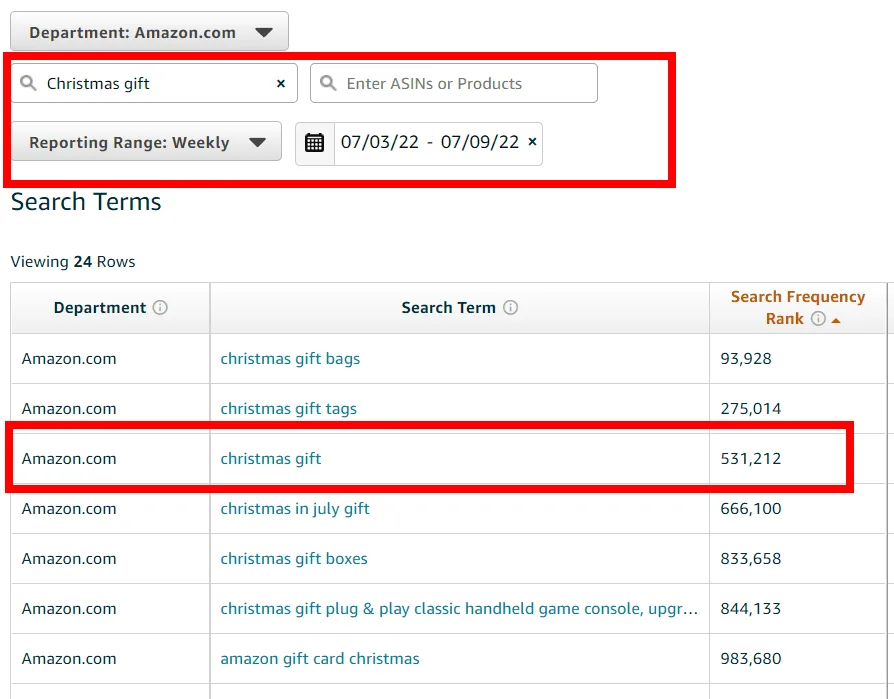
Low impressions? That’s a visibility problem
Credit: ppcfarm.com
If barely anyone is seeing your listing, the page content isn’t your issue. Amazon isn’t putting you in front of shoppers.
That points at keywords, indexing, or catalog data. Sometimes it points at a suppressed field you don’t know about.
New images won’t fix this. Neither will a better price.
Impressions fine, clicks weak?
Now you have a search-results problem. Shoppers see you. They scroll past.
Only four things do the work in that grid. Your main image. The first half of your title. Your price. Your star rating.
That’s it. Your bullets aren’t even visible yet.
People click but don’t buy?
Credit: emplicit.co
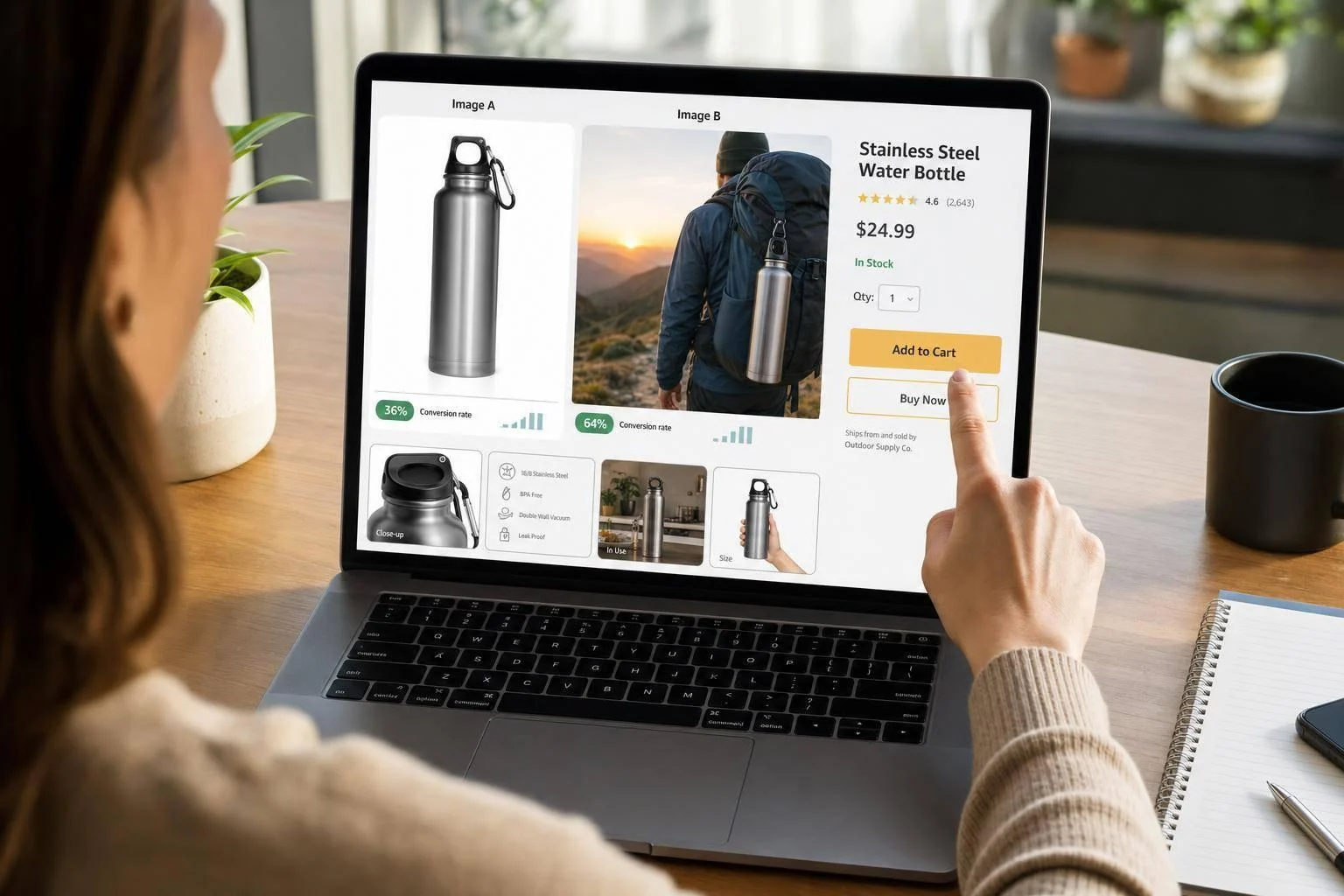
This is a trust and clarity problem. The shopper arrived interested and left unconvinced.
Look at your image sequence, your bullets, your reviews, and your offer. Something on that page failed to answer a question.
Here’s the practical version of all this:
Don’t fix a conversion problem with more keywords or fix an indexing problem with prettier A+ content. And don’t fix either one with a bigger ad budget.
More traffic into a leaking page just gives you more expensive proof that it leaks.
The Amazon Listing Audit Checklist
Once you know the bottleneck, work through these six areas. Start with the one that matches your symptom.
Treat this as your Amazon listing optimization checklist. Mark each item as pass, fail, or needs review as you go.
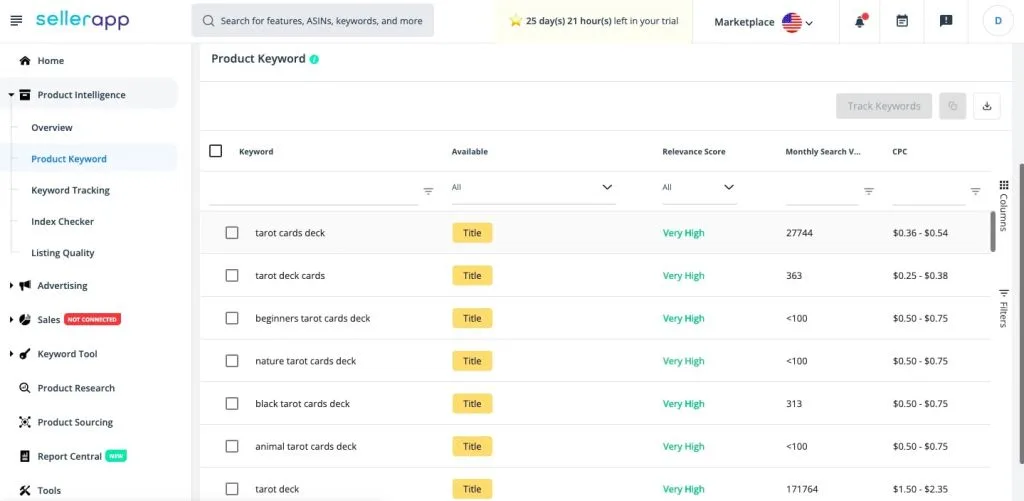
Check whether the right keywords can find you
Credit: sellerapp.com
Indexing comes first. If Amazon doesn’t associate you with a term, no amount of copy quality helps.
Search your main keyword. Then search your brand name plus that keyword. If you don’t appear, you have an indexing gap.
Use your own data instead of guessing. Brand Analytics shows which products win click share for a term. If the top three look nothing like your product, that keyword isn’t yours to chase.
Check the backend fields too. You get 250 characters. Use them for synonyms, misspellings, and regional variants. Don’t repeat words already in your title.
And watch for keyword salad. Stuffing hurts readability, and readability drives the conversion Amazon actually rewards.
Audit your title and bullets like a shopper
Title optimization starts on a phone, not a spreadsheet. Read your title on mobile and cover everything past the first 80 characters.
Does what’s left tell someone what this is and why it’s worth their attention? If the meaning only arrives in the second half, the title is already losing.
Now the bullets, because most bullets do catalog work when they should do sales work. They list specs nobody asked about.
Run each one against three questions:
- What is this?
- Who is it for? Name the target audience, don’t hint at it.
- Why this one instead of the listing right below it?
If a bullet doesn’t answer one of those, it’s taking up space.
Put your main image through the thumbnail test
Credit: youtube.com
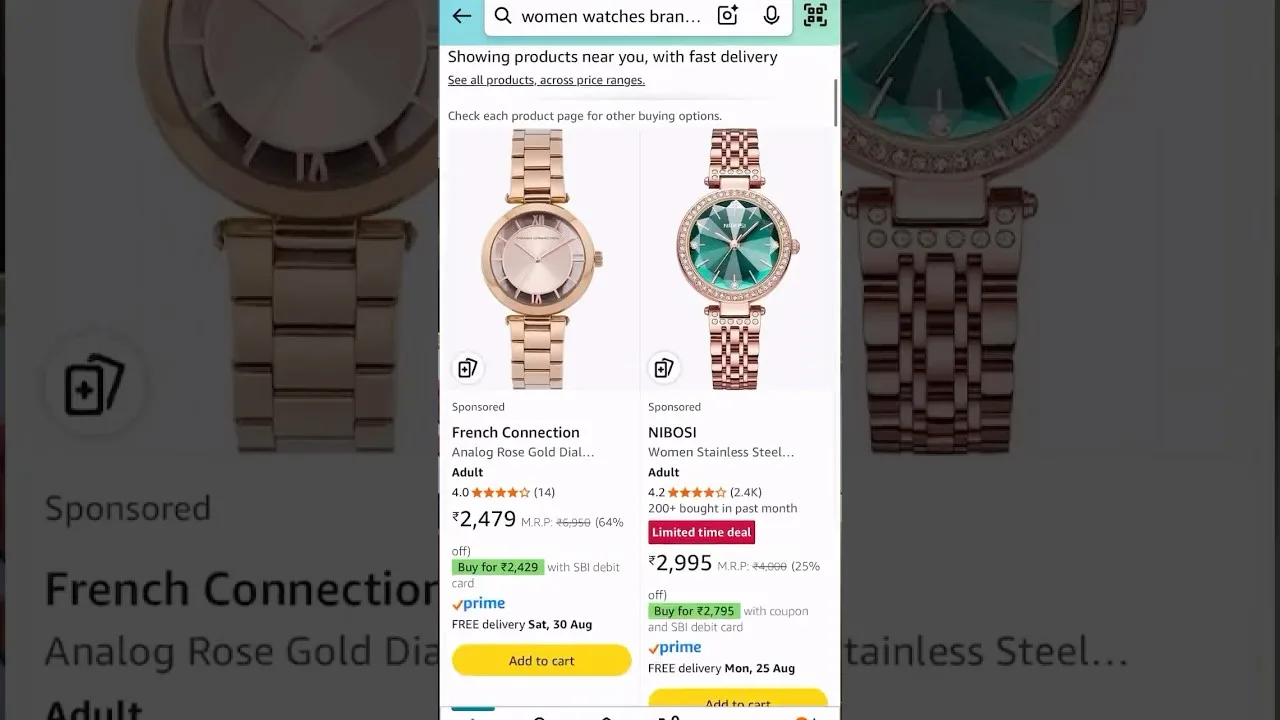
Shrink your main image to thumbnail size. Look at it on your phone. Can you tell what the product is in under two seconds?
Most failures are boring and predictable:
- Weak contrast against the background
- Too much empty space around the product
- A crop or angle that hides the real shape
- A white product disappearing into a white background
The basics still matter. White background, product filling around 85% of the frame, no added text or logos.
Fix the image for recognition, not for internal approval. It’s the only element that moves clicks and conversion at the same time.
Then check your secondary images. You want six to eight, and each one needs a job:
- Show scale, ideally next to something familiar
- Show the product actually being used
- Explain the one feature that decides the purchase
- Show what’s in the box
If two images do the same job, delete one.
Check if your A+ content answers objections
A+ content fails in a very specific way. It looks polished and says nothing new.
The pattern is always the same. The bullets get repeated, but now with icons and a lifestyle photo.
That doesn’t resolve hesitation. Go read your one-star and three-star reviews instead and group the complaints by theme.
- Sizing or fit confusion
- Unclear setup instructions
- Durability doubts
- Product arriving different than expected
- Packaging damage
Three or more mentions of the same issue is a gap you can fix on the page. Build your A+ modules and product description around those objections. That’s content doing real work.
Audit the offer, not just the listing

Credit: goni.to
Sometimes the page is fine, and the pricing strategy isn’t.
Price is a claim your page has to defend. If you sit above close substitutes, something visible must justify it. Better materials, outcome, and bundle. If none of that shows, shoppers read your price as unjustified.
Three things to check here:
- Price: Are you within range of the products you rank beside, and does the page defend any premium?
- Social proof: how does your review count and rating compare to the top three? Thin proof taxes every other element on the page.
- Inventory: going out of stock repeatedly costs ranking momentum that takes weeks to rebuild.
Catalog and technical health
This is the layer most audits miss entirely. It’s also where the weirdest problems hide.
Open the Listing Quality Dashboard in Seller Central. Those dashboard metrics show you the Amazon product listing quality signals the algorithm reads but your eyes can’t.
Check for:
- Suppressed listings you didn’t know were suppressed
- Missing or empty required attributes
- Restricted claims flagged by Amazon
- Duplicate listings competing against your own ASIN
- Stranded inventory sitting unsellable
Then check your variation tree. Are parent-child relationships built correctly? Are siblings orphaned or suppressed? Are unrelated products grouped under one parent?
Messy variations kill conversion quietly. Shoppers won’t guess which option is right when a wrong guess means a return.
Finally, glance at your account health page. Policy warnings and IP complaints escalate fast, and no amount of copywriting outruns a suspension.
Compare Your Listing Against the Products Actually Winning
Credit: azonpress.com
Your benchmark isn’t your own brand standards. It’s the search results page.
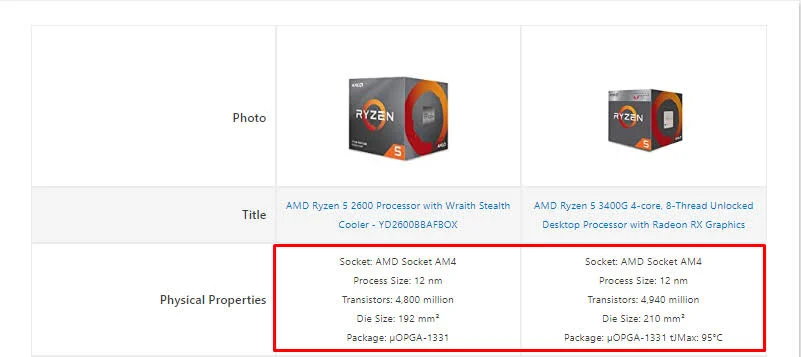
Open the top three organic listings for your main keyword. Score them on the same six areas you just scored yourself.
Be honest about what you’re looking at:
- Image clarity at thumbnail size
- Title usefulness in the first 80 characters
- Review count and rating strength
- Price positioning against perceived value
- How the whole page reads on a phone
The gaps between their scores and yours are your fix list. Not your internal wishlist. Not whatever your last meeting produced.
This exercise takes twenty minutes and beats most paid tools.
Don’t Fix Everything at Once
I know the temptation. You’ve found nine problems, and you want them all gone by Friday.
Resist it and change ten things at once, and you’ll never know which one worked. Worse, you might break something that was working fine.
Sequence by impact instead. Whether you built the list yourself or received an Amazon listing audit report from an agency, the order matters more than the length.
- Fix first: suppressed listings, wrong product facts, broken variations, and a main image that fails the thumbnail test.
- Fix next: title, price story, bullets, and mobile readability.
- Fix after: secondary images, A+ modules, backend keyword expansion.
Change one meaningful thing. Let it settle. Then move to the next.
Measure What Happens After You Make Changes
Before you touch anything, write down your current numbers:
- Sessions
- Click-through rate
- Unit session percentage
- Conversion rate
- ACoS and keyword rank, if you’re running ads
Without that baseline, you’re guessing whether a change helped or the market just moved.
After you publish, give it time. Amazon needs a few days to re-index, and you need enough sessions to trust the data. Two weeks is usually reasonable, and longer for low-traffic ASINs.
Then match the metric to the change you made:
- New main image or price change → watch CTR
- Rewrote bullets, images, or A+ → watch conversion rate
- Fixed indexing or backend terms → watch impressions and keyword rank
- Cleaned up variations → watch sessions across the whole family
Also record the date you published. Six months later, you’ll want to know exactly when something shifted.
Conclusion
An Amazon listing audit isn’t about finding every flaw; it’s about the one flaw that’s costing you the most. Diagnose before you edit. Match the fix to the symptom, change one thing at a time, and measure it honestly.
Do that quarterly on your top ASINs and you’ll spend far less time guessing. Your ads get cheaper too, because they’re finally pointed at a page that converts.
If you’d rather hand this off, our Amazon listing audit service does exactly that. Captora Management will show you where the sales are leaking before anyone touches a single field.
Frequently Asked Questions
The questions that usually decide whether someone runs the audit or keeps guessing.
How often should I run an Amazon listing audit?
Quarterly works for most catalogs. Run one sooner if sales drop suddenly, ACoS climbs without more revenue, or Amazon changes a policy that affects your category.
How long does an audit take?
A quick pass on one listing takes under an hour; a thorough audit on a single ASIN takes a few hours. And a full catalog review can run several days, depending on how many SKUs you have.
Can ads fix a listing that doesn’t convert?
No. PPC campaigns buy traffic; they don’t close sales. If your conversion rate is half the category norm, doubling spend just doubles the sessions that leave. Fix the page first, then scale traffic into it.
What’s the difference between an audit and listing optimization?
The audit is the diagnosis. It tells you what’s broken and what to fix first. Amazon product listing services handle the actual work: rewriting copy, redoing images, cleaning up catalog data.
Should I audit my competitors too?
Yes, and honestly, do it first. Scoring the top three listings for your main keyword shows you what “good” looks like in your category. That comparison usually finds your real gaps faster than any internal review.